
Buying a car
How to browse the Market, read a lot page, use filters and sorting, and contact the seller — buying on Karaji is completely free.
The Karaji Market brings together auctions and fixed-price listings from across Saudi Arabia. You can browse as a guest; to save favorites, subscribe to alerts, or place a bid you need an account — see Registration & sign-in.
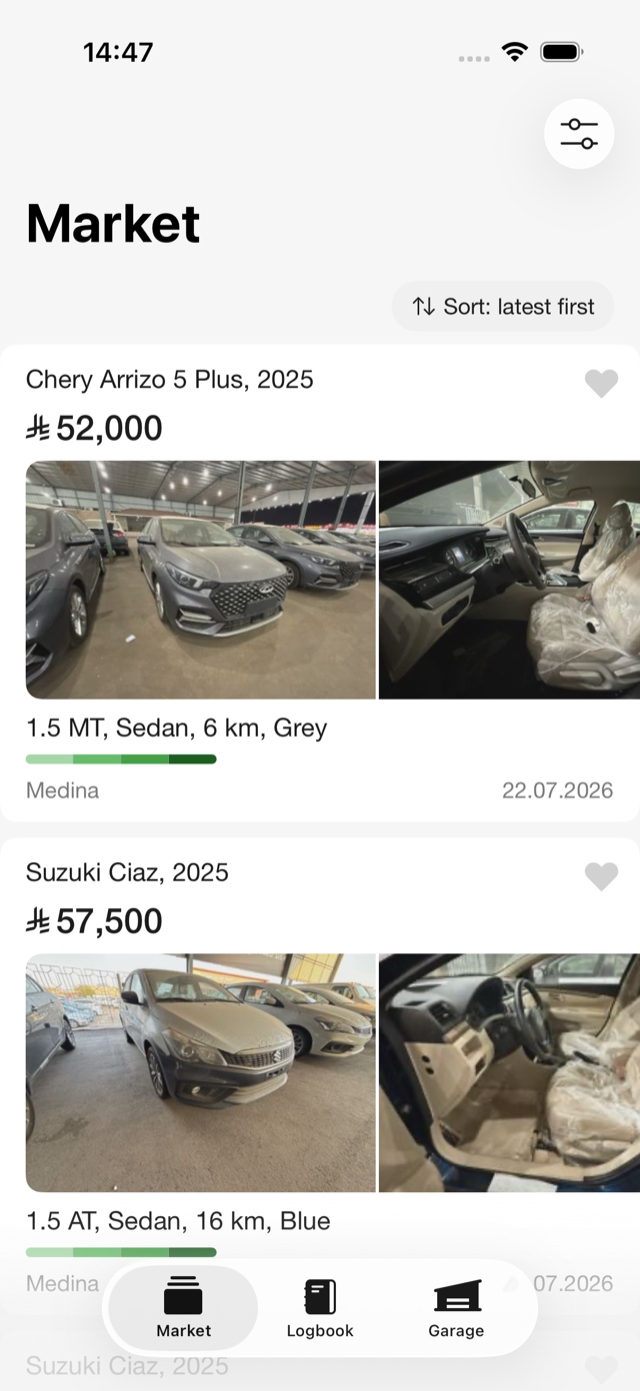
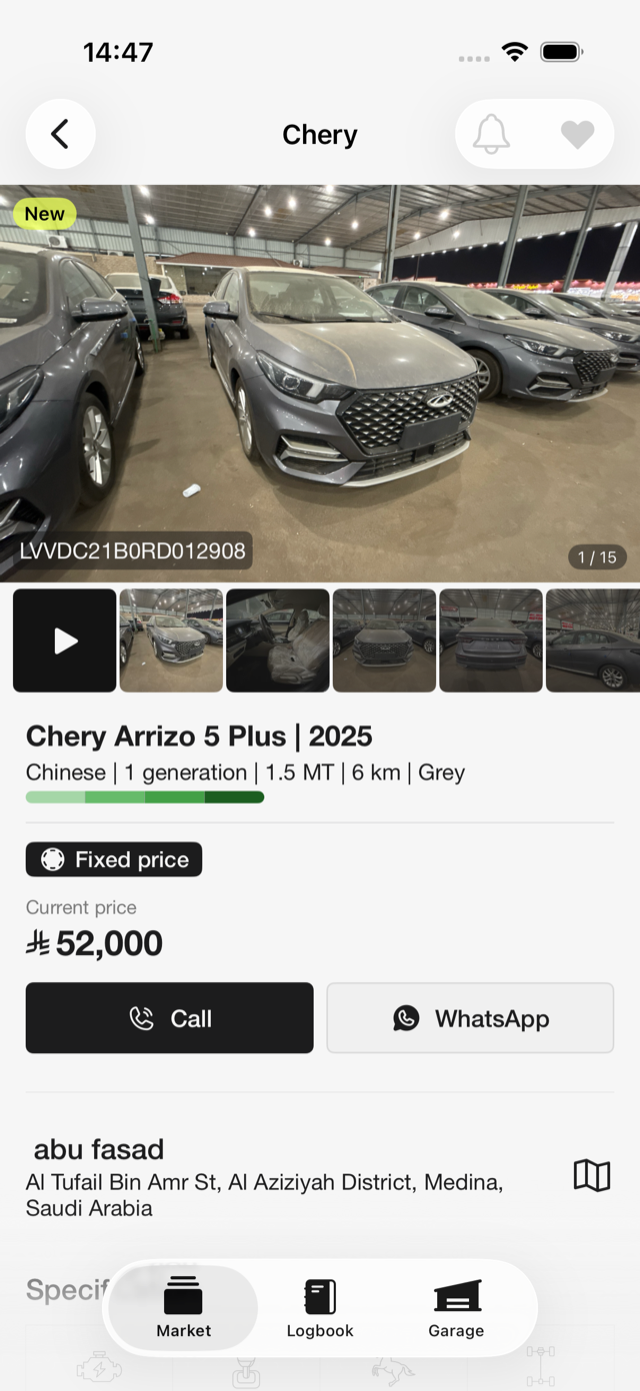
The lot page
The Market shows lot cards. Tap one to open the full lot page:
- Photo gallery of the car
- Specifications
- Owner comments — auto-translated on the server, so you read them in your own language
- Location map showing where the car is
- Mojaz report card — if the seller attached a vehicle report, you'll see a link to the PDF; otherwise the card says "Seller not uploaded report"
- Bid history — on auction lots, so you can see how the price developed
Each lot also shows the car's condition. The simple labels Perfect / Good / Average / Poor are explained in Condition grading.
Filters
Narrow the Market down with filters:
- Sale type — all, auctions only, or fixed-price only
- Condition — multi-select (Perfect / Good / Average / Poor)
- Price range
- Mileage and year ranges
- Brand and model
- City — the full list of KSA cities
Number fields accept Arabic-Indic digits (٠١٢٣…), so you can type prices and mileage the way you're used to.
Sorting
Order results by date (latest or oldest first) or price (high to low or low to high).
Favorites
Tap the heart on any lot to save it to your Garage's Favorites tab — see Favorites for details.
New-listing alerts
Don't see the right car today? Subscribe to free push alerts for a brand/model and get notified the moment a matching car goes on sale — see New-listing alerts.
Contacting the seller on a fixed-price lot
When you're ready to talk, open the Seller ticket. It shows the seller's name, phone, and Telegram, together with a confirmation code for the deal. You agree on the sale directly with the seller; once it's done, the seller transfers the car to you using your Garage ID, and it appears in your Garage with its full Logbook history — see Closing the deal & transfer.
Buying is free
Buyers pay nothing to the platform. Karaji's only fee is the seller's success commission of SAR 500 after a completed deal — see Selling at a fixed price. Browsing, filters, favorites, alerts, and contacting sellers are all free.
If the lot is an auction
Auction lots work differently: a bid is a real commitment, the price rises in SAR 1,000 steps, and timers decide the outcome. Read Auctions & bidding before you bid.